
OGWhatsApp
May 06, 2026
94.8 MB
25.8.35
Android

Images
Related apps




Description
Most people don’t search for OGWhatsApp because they’re bored. They search because the official WhatsApp has said “no” one too many times — no, you can’t hide your last seen from specific people, no, you can’t send a 500MB video, no, you can’t run 2 accounts on the same phone. OGWhatsApp says yes to all of that.
Table of Contents
This is the complete guide to downloading, installing, and actually using OGWhatsApp with the real trade-offs included, not buried.
What is OGWhatsApp?
OGWhatsApp is an unofficial version of the official WhatsApp app, built by independent developers who wanted more control over the messaging experience. It keeps everything the original does — messages, calls, groups, status updates — and layers on a set of features WhatsApp has never offered officially.
The app has been downloaded millions of times. That number keeps climbing because the feature gap between OG and official WhatsApp keeps widening instead of closing.
Key features of OGWhatsApp
Dual account support
You can run 2 WhatsApp numbers on a single phone without installing anything twice. One number for work, one personal — both active, both receiving notifications. This alone is why a lot of people switch.
The official app has never supported dual accounts natively. On OGWhatsApp, it works cleanly with the right setup during installation.
Advanced privacy controls
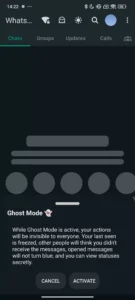
OGWhatsApp gives you granular control over what other people see. Hide your last seen from everyone or specific contacts. Disable blue ticks without turning off read receipts for everyone. Go into ghost mode and read messages without triggering any delivery indicators at all.
The official app lets you hide your last seen — but only from everyone or nobody. OG lets you pick and choose.
Anti-delete messages
When someone deletes a message in your chat, OGWhatsApp keeps it visible on your end. The message doesn’t disappear.
This works for texts and media. It’s controversial — some people love it, some find it invasive. But if you’ve ever had an important piece of information deleted from a conversation, you’ll understand why this feature exists.
Large file sharing
WhatsApp limits file sharing to around 100MB per file. OGWhatsApp pushes that to 1GB. You can send APK files, zipped folders, high-resolution videos — without compressing them first or routing through a cloud link.
For anyone doing regular file transfers through messaging, this is a significant practical upgrade.
Status downloader
Save any contact’s status directly to your gallery. No screenshots, no third-party apps. OGWhatsApp builds this in as a standard feature.
Message scheduling
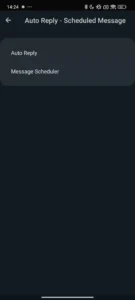
Write a message now, set a date and time, and OGWhatsApp sends it automatically. Useful for birthdays, reminders, or time-sensitive messages when you know you’ll be unavailable.
Customization: themes, fonts, and chat bubbles
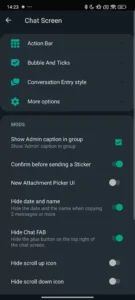
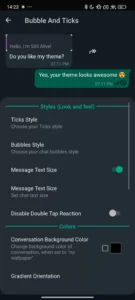
OGWhatsApp opens access to thousands of themes. You can change fonts, swap chat bubble styles, and adjust the color palette of almost every UI element. The official app gives you light mode, dark mode, and wallpapers. OG gives you control over everything else.
App lock
Lock OGWhatsApp behind a PIN, pattern, or fingerprint. Anyone who picks up your phone hits a wall before seeing your conversations.
Call recording
Record WhatsApp calls and store them locally. Useful for professional calls, important agreements, or any conversation you want to reference later.
Extended media sharing
OGWhatsApp raises the simultaneous image limit to 90. The official app caps it at 30. For anyone sending photo galleries, event albums, or product images, this matters.
How to run OGWhatsApp alongside official WhatsApp
Running both apps simultaneously on one device takes an extra step before installation.
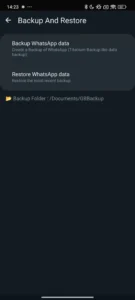
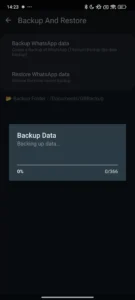
First, back up your official WhatsApp chats through Settings > Chats > Chat Backup. Then use a file manager to rename the WhatsApp folder on your device’s internal storage to “OGWhatsApp.” This prevents the 2 apps from overwriting each other’s data.
After installation, use a different phone number in OGWhatsApp from the one registered in official WhatsApp. Both apps will run without interfering.
OGWhatsApp vs official WhatsApp
| Feature | OGWhatsApp | Official WhatsApp |
|---|---|---|
| Dual accounts | Yes | No |
| File sharing limit | 1GB | ~100MB |
| Hide last seen (per contact) | Yes | No |
| Anti-delete messages | Yes | No |
| Theme customization | Thousands | 3 options |
| End-to-end encryption | Unclear | Yes (verified) |
| Auto updates | No (manual) | Yes |
| Account ban risk | Yes | No |
| Official support | No | Yes |
Risks you should know before downloading
Security
The official WhatsApp has verified end-to-end encryption, audited by independent researchers. OGWhatsApp’s encryption implementation isn’t independently verified. Your messages may or may not carry the same protection.
Download from reputable sources only. Run a malware scan on the APK before installing. Keep your phone’s antivirus software active.
No automatic updates
OGWhatsApp doesn’t update itself. You have to manually check for new versions and download them. If a security vulnerability shows up in an older release, you’ll stay exposed until you update manually.
Android only
OGWhatsApp doesn’t exist for iPhone. iOS won’t allow sideloading, so there’s no workaround. If you’re on an iPhone, the official app is your only option.
OGWhatsApp alternatives worth knowing
GB WhatsApp is the most popular alternative to OG. It carries most of the same features, has a large user base, and gets updated regularly. Many users treat GB and OG as interchangeable.
FM WhatsApp focuses more on UI customization than privacy features. Good option if themes and visual changes are the priority.
YoWhatsApp is lighter than both OG and GB. Fewer features, but more stable and less likely to cause conflicts on older devices.
Frequently asked questions
Can I use OGWhatsApp on a PC?
Yes, through an Android emulator. Install an emulator like BlueStacks or LDPlayer, download the OGWhatsApp APK inside the emulator, and verify your phone number. You get OGWhatsApp running on a full desktop screen — useful if you prefer typing on a keyboard.
Will OGWhatsApp get my account banned?
It’s possible but not guaranteed. Anti-ban protection reduces the risk significantly. Most users run OGWhatsApp without issues. To lower the risk further, avoid using it with your main WhatsApp number and keep the app updated.
Can I restore old chats from official WhatsApp?
Yes. During the first-time setup, OGWhatsApp prompts you to restore from backup. As long as you backed up your official WhatsApp chats beforehand, they’ll transfer over.
Is OGWhatsApp free?
Completely free. No subscriptions, no in-app purchases.
How often does OGWhatsApp update?
Less frequently than the official app. New versions typically arrive a few weeks after major official WhatsApp updates. Check the source you downloaded from periodically for new releases.
Final word
OGWhatsApp is a capable app. Dual accounts, 1GB file sharing, per-contact privacy settings, anti-delete messages — the feature list addresses real limitations that official WhatsApp hasn’t fixed in years.
The trade-offs are also real: no guaranteed encryption verification, manual updates, and a non-zero chance of account restrictions. Go in knowing that, and OGWhatsApp is a solid choice for Android users who want more control over their messaging experience.
Download the latest version, set it up properly, and keep it updated manually. That’s the honest path to getting the most out of it.
Download links
An ad will pop up before the download. Close it, click download again—ads keep us going, thanks!


