
Opera
Opera Norway AS
November 15, 2026
136.43 MB
140.0.6074.18
Windows 10 / 11 (64-bit / 32-bit)
Images
Related apps



Description
Opera Browser is a free browser that comes with a VPN proxy, an ad blocker and an AI assistant inside it. You do not have to hunt for extensions to get them. That is the main reason people switch to it from Chrome or Edge.
It runs on the same Chromium engine as Chrome, so websites, web apps and most extensions behave the way you expect. The difference is what sits around the page: a sidebar, tab tools, built-in privacy options and a few small utilities that save you trips to other apps.
This page covers what Opera Browser does on a Windows PC, who benefits from it, and where it falls short. If you want to download it, the steps are further down. You can also check the official Opera Browser website for the latest announcements.
What Is Opera Browser?
Opera is one of the oldest browsers still in active development. A Norwegian company started it in the 1990s, and it has often added features before bigger browsers copied them. Built-in ad blocking, a free VPN and a sidebar with chat apps all appeared in Opera first.
The main desktop edition is now called Opera One. The name changed, but most people still search for “Opera Browser”, so that is what this page uses. Opera GX is a separate edition made for gamers. We cover the difference below.
Opera Browser costs nothing. There is no premium tier that locks the core features. The company earns money through search deals, partner placements and a separate paid VPN product.
Main Features of Opera Browser
Free Built-in VPN
Open the settings, switch on the VPN, and pick a region. That is the whole setup. No sign-up and no separate app.
Be clear about what it is, though. This VPN works as a browser proxy. It covers traffic inside Opera only. Your other apps, such as a download manager or a game launcher, still use your normal connection.
Speed depends on the server and the time of day. It will not unlock every streaming service, and no free proxy does. For a stricter setup, Opera sells a separate paid VPN.
Ad Blocker and Tracker Blocker
The ad blocker is part of the browser. Turn it on and pages load without most banners and pop-ups. Pages often load faster too, because the browser skips the ad scripts.
Opera also has a tracker blocker and a cookie dialog blocker. The second one hides those “accept all cookies” boxes that cover half the screen. Some sites break when you block too much, so you can switch the blocker off for a single page.
Aria, the Built-in AI Assistant
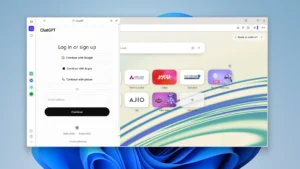
Aria is Opera’s own AI helper. It sits in the sidebar, so you can ask a question without opening a new tab.
People use it in a few practical ways:
- Summarize a long article before reading it
- Draft an email or a social media caption
- Explain a block of code or a confusing paragraph
- Translate a short piece of text
- Answer a quick factual question with live web results
Select text on any page and Opera can offer AI prompts for it. If you dislike AI tools, you can turn all of it off from the settings. Nothing forces you to use it.
Sidebar With Messengers
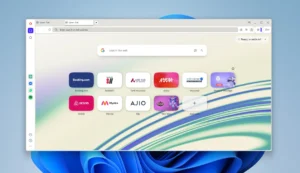
The sidebar is the feature most people notice first. It holds shortcuts to WhatsApp, Telegram, Messenger and other chat services. Click one and the chat opens in a small panel next to your page.
Now, why does this matter? You no longer keep a separate chat tab open and lose it among twenty others. A shop owner can answer customer messages on WhatsApp while a supplier’s website stays open on the main screen.
You can also add music players and other tools to the same sidebar. Remove the ones you never use, and the bar stays clean.
Workspaces and Tab Islands
Too many tabs is a problem everyone has. Opera handles it in two ways.
Workspaces let you split your tabs into separate groups. You might keep one for work, one for study and one for shopping. Click a workspace icon and only those tabs appear. The others stay out of sight but are not closed.
Tab Islands group the tabs you opened from the same page. If you search for a topic and open six results, they sit together as one island. You can collapse the island when you are done.
There is also a tab search box. Type a few letters and it finds any open tab, even one you forgot about.
Flow for Phone and PC
Flow connects Opera on your PC with Opera on your phone. You send a link, a note, an image or a file from one device to the other. It works like messaging yourself.
You scan a code once to link the devices. After that, copying a link from your phone to your desktop takes a few seconds. No cables, no emailing files to yourself.
Battery Saver and Video Pop-out
On a laptop, Battery Saver cuts background activity when the charge runs low. Opera says it extends browsing time on one charge. The real gain depends on your machine, so treat that as a rough guide.
Video pop-out is simpler. Play a video, and a small button lets you detach it into a floating window. You keep watching while you work in another tab or app. Students attending online classes find this useful.
Snapshot, Pinboards and Easy Files
Snapshot is a screenshot tool inside the browser. You capture part of a page, mark it up and copy it. You do not need another program.
Pinboards let you collect images, links and notes in one place. Designers use them for mood boards. Shoppers use them to compare products.
Easy Files lets you drag a file from your computer straight into a chat or a web form from the sidebar. It saves some clicking.
Themes, Extensions and Sync
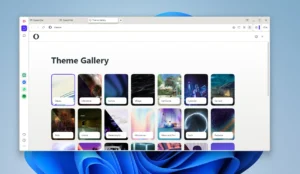
You can change the theme, wallpaper and start page layout. Dark mode is built in.
Opera has its own add-ons store, and it also supports Chrome extensions. Password managers, grammar tools and similar extensions generally work.
An Opera account syncs your bookmarks, open tabs, passwords and settings across devices. Signing in is optional.
Crypto Wallet
Opera includes a crypto wallet for people who use Web3 sites. Many users never open it. It stays out of the way if you ignore it.
Who Should Use Opera Browser?
Opera suits a wide group of people, but some benefit more than others.
- Students. Aria summarizes reading material, the video pop-out helps with online lectures, and workspaces keep notes separate from entertainment.
- Remote workers. WhatsApp, Telegram and Slack-style tools live in the sidebar. Workspaces separate client work from personal browsing.
- Small business owners. Many customers still message on WhatsApp. Keeping that chat open beside a spreadsheet or order page saves time.
- Content creators. Snapshot, Pinboards and Aria help with research, captions and reference collecting.
- Privacy-minded users. The ad blocker, tracker blocker and VPN proxy give a basic layer of protection without extra installs.
- Laptop users. Battery Saver helps when you work away from a charger.
Opera Browser vs Opera GX
Both are free and both use Chromium. Opera GX adds controls for gamers, such as limits on how much CPU and RAM the browser can use, plus themes and sound effects aimed at gaming.
If you do not play games on the same machine, the regular Opera Browser is the better pick. It feels lighter and cleaner. If you want resource limits while a game runs in the background, try GX.
How to Download and Install Opera Browser
- Download the installer from the button on this page.
- Double-click the downloaded file.
- Choose your language and review the install options.
- Click Install and wait for the setup to finish.
- Open Opera, import your bookmarks from your old browser if you want, and pick a theme.
The browser updates itself in the background, so you do not need to download it again for each new release. You can see what changed in each update in our changelog.
Pros and Cons
Pros
- Free, with no locked core features
- Built-in VPN proxy, ad blocker and tracker blocker
- Sidebar chat apps and a free AI assistant
- Workspaces and Tab Islands for heavy tab users
- Works with Chrome extensions
- Syncs between PC and phone
Cons
- The VPN covers browser traffic only
- Some built-in features, like the crypto wallet, are useless to many people
- The interface has more buttons than a minimal browser
- Sponsored shortcuts and bookmarks may appear by default, though you can remove them
Frequently Asked Questions
Is Opera Browser free?
Yes. You can use it without paying. Only the separate Opera VPN service is a paid product.
Is Opera Browser safe?
It is a legitimate, long-running browser built on Chromium. It receives regular security updates. Download it from a trusted source, keep auto-update on, and use strong passwords like you would in any browser.
Is the built-in VPN a real VPN?
It is a proxy that covers only your browsing inside Opera. It hides your IP address from sites you visit in the browser, though it does not protect other apps.
Does Opera Browser use a lot of RAM?
Memory use depends on your tabs and extensions. Opera is close to Chrome in this area, and it is sometimes lighter because the ad blocker removes heavy ad scripts. Closing unused tabs helps on any browser.
Can I use my Chrome extensions in Opera?
Most of them, yes. Opera supports Chrome extensions, and it also has its own add-ons store.
Can I turn off Aria and the sidebar?
Yes. The AI features and every sidebar shortcut can be switched off from the settings.
Can I sync Opera between my PC and phone?
Yes. Sign in with an Opera account on both devices to sync bookmarks, tabs and passwords. Flow handles quick transfers of files and links.
Does Opera work on older computers?
It runs fine on most modern PCs. On an older machine, close extra tabs, disable features you do not use and keep the ad blocker on to reduce page load.
What's new
- General maintenance and performance update. Includes bug fixes, stability enhancements, and optimizations for Windows.
Download links
How to install Opera?
1. Download the ZIP file.
2. Install the Split APKs Installer application
3. Open the application and click on "Install APKs".
4. Find the folder where the downloaded ZIP is located and select it.
5. Follow the steps that appear on the screen.