
CallApp: Caller ID & Block
April 06, 2026
52.72 MB
2.258
8.0

Images


Related apps



Description
If you’re tired of unknown numbers, spam calls, telemarketers, and cluttered contact management, CallApp positions itself as an all-in-one caller ID and call recording solution for Android. Instead of juggling multiple apps for contact management, spam blocking, and call recording, CallApp combines everything into one platform.
Table of Contents
In this detailed review, I’ll break down what CallApp is, how it works, its key features, safety considerations, performance insights, installation steps, privacy implications, and whether it’s worth installing in 2026.
What Is CallApp?
CallApp is an Android caller ID and call management application designed to identify unknown callers, block spam calls, record phone conversations (where legally permitted), and enhance your contact list with enriched data.
It belongs to the communication and productivity category and targets users who:
- Frequently receive unknown or spam calls
- Want real-time caller identification
- Need call recording for professional or personal use
- Prefer a smarter dialer and contact manager
Unlike the default Android dialer, CallApp integrates caller identification databases, spam detection systems, and contact syncing into one interface.
CallApp Overview – Purpose and Core Functionality
CallApp works by integrating deeply with your Android device’s calling system. Once installed and set as your default dialer, it intercepts incoming calls and displays caller information based on its global contact database.
Its main purpose is to:
- Identify unknown numbers in real time
- Block spam and robocalls
- Record calls automatically or manually
- Provide smart contact management
- Enhance dialing with advanced search
The app operates using internet connectivity to cross-reference phone numbers with its database. This means caller ID accuracy improves over time as the database grows.
Key Features of CallApp
1. Real-Time Caller ID
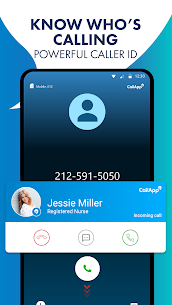
One of CallApp’s most powerful features is its real-time caller identification system. When you receive a call from an unknown number, the app instantly displays:
- Caller name (if available)
- Profile image (when available)
- Business information
- Spam warning alerts
This is especially useful for professionals, freelancers, and business owners who frequently receive calls from unknown numbers. Instead of guessing, you can make informed decisions before answering.
2. Spam Call Blocking
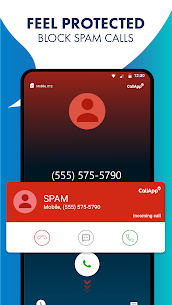
CallApp includes a built-in spam detection system that automatically flags suspicious or frequently reported numbers.
You can:
- Auto-block known spam numbers
- Manually blacklist contacts
- Report spam numbers to improve database accuracy
For users overwhelmed by telemarketing calls, this feature alone can dramatically improve daily phone usage.
3. Call Recording (Where Legally Permitted)
CallApp supports automatic and manual call recording on supported Android devices. This can be helpful for:
- Business call documentation
- Interview recordings
- Personal reference
- Customer support calls
However, call recording availability depends on:
- Android version
- Device manufacturer
- Regional legal restrictions
Users must ensure call recording is legal in their country or state before enabling it.
4. Smart Contact Management
CallApp enhances your contact list by enriching stored numbers with additional data. It syncs contact profiles and allows:
- Backup and restore of contacts
- Duplicate contact merging
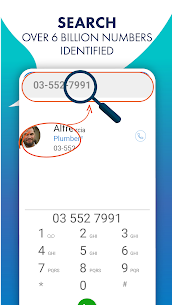
- Smart search by name or number
- Fast dial suggestions
For users with large contact lists, this organization system improves accessibility and usability.
5. Advanced Dialer Interface
The app can replace your default phone dialer with a visually enhanced version that includes:
- Call history analytics
- Call frequency tracking
- Contact interaction insights
- Quick access favorites
It’s particularly useful for heavy phone users who rely on frequent communication.
Free vs Premium Version
CallApp offers both a free version and a premium subscription.
Free Version Includes:
- Caller ID
- Basic spam blocking
- Limited call recording features
- Ads
Premium Version Unlocks:
- Ad-free experience
- Advanced call recording options
- Premium caller ID details
- Automatic spam blocking enhancements
The premium plan is ideal for business users or those who rely heavily on its call recording feature.
How to Download and Install CallApp on Android
Official Installation (Recommended Method)
- Open Google Play Store.
- Search for “CallApp”.
- Locate the official listing.
- Tap Install.
- Open the app.
- Grant required permissions.
- Set CallApp as your default dialer (optional but recommended for full functionality).
Direct listing:
https://play.google.com/store/apps/details?id=com.callapp.contacts
Required Permissions Explained
Because CallApp integrates with your calling system, it requests several permissions:
- Contacts access
- Phone access
- Call logs
- Microphone (for recording)
- Storage access
These permissions are necessary for full functionality. However, users concerned about privacy should carefully review settings and disable features they do not need.
Is CallApp Safe to Use?
When downloaded from the official Google Play Store listing, CallApp is generally considered safe.
However, keep these points in mind:
- Always download from official sources.
- Avoid modified or unofficial APK files.
- Review app permissions before granting access.
- Keep your device updated.
CallApp relies on data matching systems to identify callers, so some level of contact data processing is involved. Always review the privacy policy before use.
Performance & System Impact
From a technical perspective, CallApp runs as a background service to monitor incoming calls. On modern Android devices:
- RAM usage is moderate
- Battery drain is minimal if properly optimized
- Background operation is stable
On older devices, users may experience:
- Slight delays in caller ID popups
- Background restrictions by battery optimization systems
Disabling aggressive battery optimization for the app usually resolves delays.
Common Issues & Troubleshooting
Caller ID Not Showing
- Ensure CallApp is set as default dialer.
- Disable battery optimization restrictions.
- Allow display over other apps permission.
Call Recording Not Working
- Check Android version compatibility.
- Ensure microphone permissions are granted.
- Confirm regional legality.
Spam Blocking Not Effective
- Update the app.
- Enable auto-block in settings.
- Report spam numbers to improve database accuracy.
When You Should NOT Use CallApp
CallApp may not be ideal if:
- You are highly privacy-sensitive and uncomfortable sharing contact metadata.
- Your country restricts call recording laws.
- You use custom dialers with heavy modifications.
- You rely on minimal-permission apps only.
Frequently Asked Questions (FAQs)
1. Is CallApp free?
Yes, CallApp offers a free version with core features. Premium removes ads and unlocks advanced tools.
2. Does CallApp work offline?
Caller ID accuracy is best when connected to the internet since it relies on database lookup.
3. Is call recording legal?
It depends on your country or state laws. Always verify local regulations before recording calls.
4. Does CallApp replace my default phone app?
It can, but replacement is optional. Full functionality requires setting it as default dialer.
5. Can CallApp block all spam calls?
It blocks known spam numbers but cannot guarantee 100% protection.
Final Verdict – Is CallApp Worth Installing?
CallApp is a comprehensive caller ID and call management app designed for Android users who want enhanced visibility and control over incoming calls. Its combination of real-time caller ID, spam blocking, call recording, and smart contact management makes it more powerful than the default Android dialer.
It’s particularly useful for:
- Business professionals
- Freelancers
- Customer service agents
- Users in high-spam regions
However, users who prioritize strict privacy minimalism may prefer lighter alternatives.
If caller transparency, spam prevention, and call recording are important to you, CallApp is definitely worth trying.
What's new
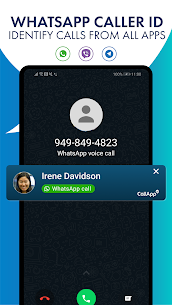
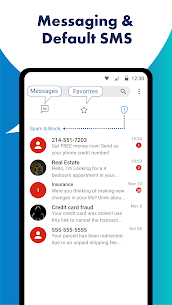
* Our new SMS feature is finally here, and we're excited to make communication with all your contacts easier than ever. With our advanced feature, you not only can send and receive messages easily, but also be sure you're safe from spam messages. * New Caller ID for WhatsApp, Viber and Telegram calls * Bug fixes We regularly update our app so you can have the best communication experience!
Download links
An ad will pop up before the download. Close it, click download again—ads keep us going, thanks!


