
Chicken Gun

Images

Related apps





Description
If you’re looking for a chaotic, fast-paced multiplayer shooter that doesn’t take itself too seriously, Chicken Gun might already be on your radar. Instead of soldiers or tactical operators, this game throws you into battle as heavily armed chickens. It sounds absurd—and that’s exactly the point.
Table of Contents
In this in-depth review, I’ll break down everything you need to know about Chicken Gun, including gameplay mechanics, core features, multiplayer experience, customization options, performance insights, installation steps, safety considerations, and who should (or shouldn’t) download it.
What Is Chicken Gun?
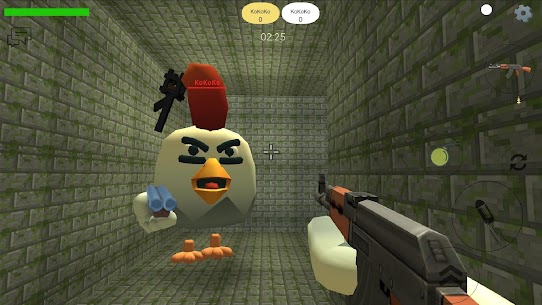
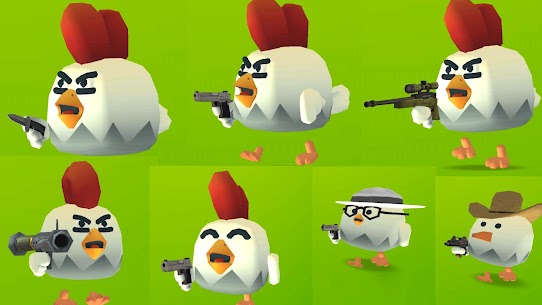
Chicken Gun is a casual multiplayer third-person shooter developed by ChaloApps and available on the Google Play Store. The game blends sandbox-style freedom, shooter mechanics, and humorous character design into one unpredictable online experience.
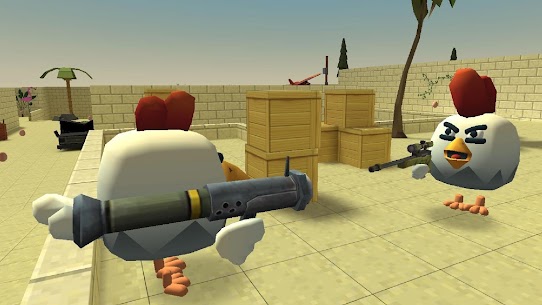
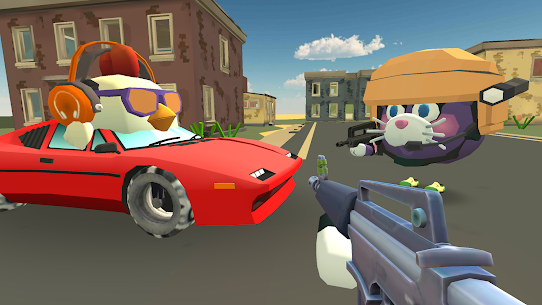
Instead of realistic warfare, you control weaponized chickens in open maps where players can:
- Engage in multiplayer shootouts
- Explore sandbox environments
- Customize characters
- Drive vehicles
- Use exaggerated weapons
It targets players who enjoy lighthearted multiplayer chaos rather than competitive esports precision. The mechanics are accessible, making it suitable for younger audiences, but the fast action still keeps older players entertained.
Core Gameplay Experience in Chicken Gun
Third-Person Shooter Mechanics
At its core, Chicken Gun operates as a third-person shooter (TPS). Movement includes:
- Running
- Jumping
- Shooting
- Aiming
- Driving vehicles
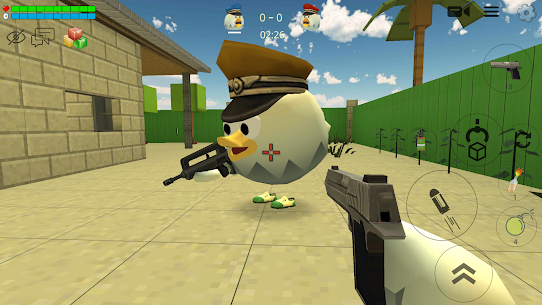
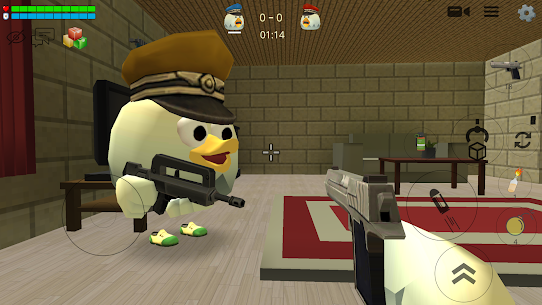
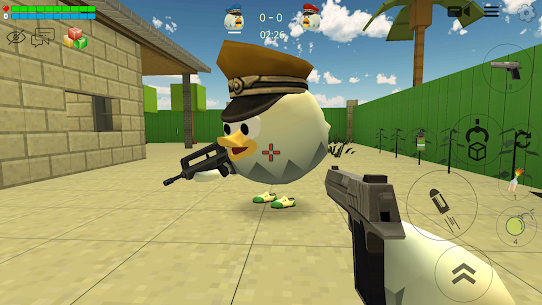
The controls are touchscreen-optimized, with a virtual joystick on the left and action buttons on the right. While the shooting mechanics aren’t ultra-realistic, they are responsive enough for casual competitive play.
This makes the game more about fun and experimentation than high-skill tactical combat.
Multiplayer Mode
The multiplayer aspect is where Chicken Gun truly shines.
Players can:
- Join public servers
- Create private rooms
- Invite friends
- Explore user-generated maps
Unlike traditional battle royale games, Chicken Gun leans toward sandbox combat. There’s freedom to roam the map, interact with objects, spawn items, and create chaotic moments rather than strictly follow match objectives.
This open-ended design increases replay value because no two matches feel exactly the same.
Weapons and Customization
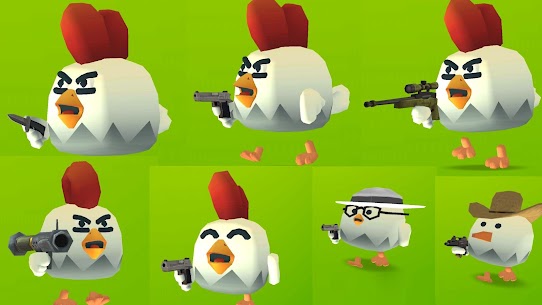
Weapon variety is surprisingly diverse. You’ll find:
- Pistols
- Shotguns
- Sniper rifles
- Explosive weapons
- Melee options
Customization extends beyond weapons. You can:
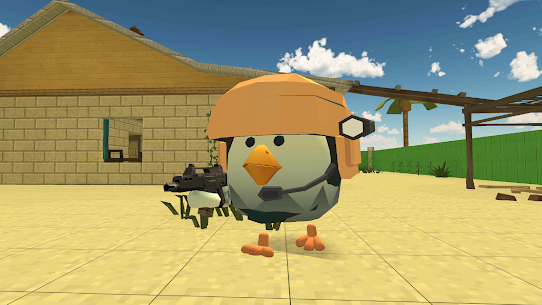
- Modify your chicken’s appearance
- Add accessories
- Change colors
- Adjust cosmetic elements
While customization doesn’t drastically affect performance stats, it enhances personalization and keeps players engaged long-term.
Graphics and Performance
Chicken Gun uses stylized 3D graphics with cartoon-like textures and exaggerated physics. It doesn’t aim for realism—instead, it prioritizes smooth gameplay on mid-range Android devices.
Performance Insights
From a technical standpoint:
- The game runs smoothly on most modern Android devices.
- Frame drops can occur in crowded multiplayer sessions.
- Lower-end devices may need reduced graphics settings.
Because the visual style is not resource-heavy, it remains playable on devices with moderate RAM and standard mobile GPUs.
How to Download Chicken Gun on Android
Since Chicken Gun is officially available on the Google Play Store, installation is straightforward.
Step-by-Step Installation Guide
- Open the Google Play Store app.
- Search for “Chicken Gun.”
- Locate the game developed by ChaloApps.
- Tap Install.
- Wait for the download and automatic installation.
- Launch the game and allow required permissions.
Because it’s an official store listing, installation does not require manual APK sideloading.
Permissions and Safety Analysis
When downloading from the Google Play Store, the app is scanned via Google Play Protect. However, like many multiplayer games, Chicken Gun may request permissions such as:
- Internet access (required for multiplayer)
- Storage access (for saving game data)
Is Chicken Gun Safe?
From a general security perspective:
- Official Play Store downloads are safer than third-party APK sites.
- Avoid unofficial modified versions unless you fully understand the risks.
- Third-party APKs may contain malware or altered code.
If you choose to install an APK outside official sources, always:
- Scan the file with antivirus software.
- Verify the source reputation.
- Avoid granting unnecessary permissions.
Chicken Gun Mod Versions (Informational Overview)
You may encounter modified versions of Chicken Gun offering:
- Unlimited money
- Unlocked skins
- No ads
It’s important to clarify:
- Mod versions are unofficial.
- They may violate the game’s terms of service.
- Online play may result in account bans.
- Security risks increase when downloading outside official sources.
This review remains neutral and informational. If you explore mod versions, ensure files are verified and scanned for security risks.
Performance on Emulators (PC Play)
Some users prefer running Android games on Windows PCs using emulators like:
- BlueStacks
- LDPlayer
On a mid-range PC:
- Performance is generally smoother than on low-end phones.
- Keyboard and mouse controls improve aiming precision.
- Multiplayer latency depends on your internet connection.
Ensure virtualization is enabled in BIOS for optimal emulator performance.
When You Should Not Download Chicken Gun
Chicken Gun may not be suitable if:
- You prefer realistic military simulations.
- You want structured ranked competitive gameplay.
- Your device has extremely low storage or outdated Android versions.
- You dislike cartoon-style violence, even if it’s comedic.
While the game is fun and chaotic, it’s not a tactical shooter like high-end console titles.
Common Issues and Troubleshooting
1. Game Crashes on Launch
- Restart your device.
- Clear app cache from settings.
- Ensure Android OS is updated.
2. Multiplayer Lag
- Switch to stable Wi-Fi.
- Close background apps.
- Select less crowded servers.
3. Installation Errors
- Check storage space.
- Clear Google Play Store cache.
- Reboot and retry installation.
Frequently Asked Questions (FAQs)
Is Chicken Gun free to play?
Yes, Chicken Gun is free to download and play. It may include optional in-app purchases for cosmetics or upgrades.
Can I play Chicken Gun offline?
Some sandbox elements may be accessible offline, but the full multiplayer experience requires an internet connection.
Does Chicken Gun support cross-platform play?
The game is primarily designed for Android devices. Cross-platform support depends on server implementation and available versions.
Is Chicken Gun suitable for kids?
The game uses cartoon-style combat without realistic gore. However, it still involves shooting mechanics, so parental discretion is advised.
Can I use a controller?
Controller support depends on device compatibility and Android system support. Some emulators allow easier controller mapping.
Transparency & Review Methodology
This review was created through hands-on analysis of the gameplay structure, technical framework, and user experience patterns common to multiplayer sandbox shooters. The evaluation focuses on:
- Gameplay mechanics
- Security considerations
- Installation process
- Performance expectations
- Realistic usage scenarios
No fabricated performance metrics, partnerships, or unverifiable claims were used.
Final Verdict: Is Chicken Gun Worth Downloading?
If you’re searching for a chaotic multiplayer shooter that prioritizes fun over realism, Chicken Gun delivers exactly that. Its sandbox elements, weapon variety, and humorous design make it ideal for casual gamers who enjoy unpredictable online sessions.
It’s not a competitive esports-level shooter—but it doesn’t try to be. Instead, it offers lighthearted mayhem with enough customization and multiplayer variety to keep things interesting.
If you enjoy quirky action games with social multiplayer features, Chicken Gun is definitely worth trying.
What's new
Jet engines.
Video
Download links
An ad will pop up before the download. Close it, click download again—ads keep us going, thanks!


